Lead Form: What to Ask, Which Type to Use, and How to Build One for Mobile Ad Traffic (2026)
A lead form collects a prospect's contact details in exchange for something they want. The main types of lead form, the completion rates Zuko measured for each, which fields to ask for, and how to rebuild one for people tapping through from an ad.
 Faheem MushtaqCo-Founder & CTO
Summarize this article with
 ChatGPT
 Claude
 Perplexity
 Grok
A lead form is a web form that collects a prospect's contact details, and often a few qualifying answers, in exchange for something they want: a quote, a callback, a download, a demo or a booking. It is the point where an anonymous visitor becomes a lead you can follow up. "Lead generation form" and "lead capture form" mean the same thing.
Most lead forms were designed for someone sitting at a desktop who searched for the business. Today most of the people who reach one tap through from an Instagram, TikTok or Facebook ad on a phone. This guide covers the types of lead form, the completion rates measured for each, which fields to ask for, and how to rebuild a form for that phone visitor.
Key takeaways
- A lead form trades value for contact details. The value has to be clear before the form asks for anything.
- Contact forms convert worst of all form types. Zuko's benchmarking research (January 2022 to April 2025, 739 forms) puts contact-form view-to-completion at 14.5%, against 34.6% across all forms.
- Most of that loss happens before anyone types. The same contact forms had a 47.4% starter-to-completion rate, so most of the drop-off is people who looked and never started.
- Email and phone are among the most abandoned fields. Zuko's field-level research (May 2023 to April 2024, 1,362 forms) found mean abandonment of 6.41% at email and 6.28% at phone. Only password fields lost more people, at 10.50%.
- Every field should change what you do next. If an answer won't change who calls, what they say or whether you call at all, cut the field.
- For paid social traffic, ask tap-to-answer questions first and contact details last. One question per screen fits a phone better than a wall of fields.
What is a lead form?
A lead form is a set of fields that asks a visitor for contact information and sends it to a sales or marketing team. It usually sits on a landing page, a contact page or inside an ad platform.
A working lead form has five parts:
The offer is the part teams skip. A form headed "Contact us" asks for effort and promises nothing specific, which is one reason contact forms convert so badly.
What are the main types of lead form?
There are seven common types. They differ in how much the visitor already wants and how much you need to know before following up.
Native ad-platform forms include Meta's instant forms, LinkedIn Lead Gen Forms and Google Ads lead form assets. They keep the visitor inside the app and prefill their details, which raises volume and usually lowers quality. Our guide to Instagram lead ads covers when an instant form is the right call and when a website funnel gets better leads.
A squeeze page is the narrowest lead form: one email field and nothing else. Our squeeze page guide covers when that is still the right choice.
How well do lead forms convert?
The average web form is completed by about one in three people who see it. Zuko's benchmarking research, covering 739 forms and more than 93 million form views between January 2022 and April 2025, puts average view-to-completion at 34.6% and starter-to-completion at 51.7%.
The form's purpose matters more than the average:
Source: Zuko Analytics Form Benchmarking Research, January 2022 to April 2025.
Contact forms have the lowest view-to-completion rate at 14.5%, but a 47.4% starter-to-completion rate. Zuko's explanation is that many people open a contact page to find a phone number or address and never intend to fill in the form. For a lead form on a campaign landing page, the lesson is the same: the visitor's first decision is whether to start, and that decision is made by looking.
Device matters too. Zuko's 2025 industry benchmarking puts view-to-completion at 31.3% on mobile against 37.2% on desktop, and starter-to-completion at 47.5% against 55.5%. Zuko cautions that audience, traffic source and intent also differ by device, so the gap is not proof that mobile design alone causes it. For more numbers, see our form abandonment statistics.
What fields should a lead form ask for?
Ask for the fields that decide what happens next, and nothing else. A useful test: if the answer won't change who follows up, what they say, or whether anyone follows up at all, the field doesn't belong on the form.
Zuko's field-level research measured mean abandonment for six common fields:
Source: Zuko Analytics Field-Level Research, May 2023 to April 2024, 1,362 forms.
Lead forms rarely need a password, which leaves email and phone as the two costliest fields most lead forms ask for. That doesn't mean you shouldn't ask for them. It means you should ask for them once the visitor has a reason to give them.
What to ask, by goal:
- Email follow-up only: email. Add first name only if you will actually use it.
- A callback: name, phone, and one question that tells the caller what the lead wants.
- A quote: the two or three job details that set the price, then location, then contact.
- A sales call: need, timeline and budget range as multiple-choice questions, then contact. Our guide to lead qualification questions has examples by criterion.
Lead form best practices
Lead with the offer, not the fields. The headline should name the outcome and who it is for. "Get a roof replacement estimate in 2 minutes" gives a reason to start; "Contact us" does not. Our guide to getting roofing leads from Facebook ads shows that offer turned into a full mobile funnel.
Use one column. Nielsen Norman Group's form usability guidance (Kathryn Whitenton, 2016) says to present fields in a single column because "multiple columns interrupt the vertical momentum of moving down the form."
Put labels above the fields and avoid placeholder text as labels. The same Nielsen Norman Group article recommends labels immediately above the field for mobile and short desktop forms, and says placeholder text "causes many usability problems."
Turn on autofill. Google's web.dev forms course says the autocomplete attribute helps browsers offer the right saved details, such as autocomplete="email" on an email field. Zuko measured a 62.2% completion rate in sessions where autofill was triggered, against 30.2% where it wasn't. Zuko warns that people who use autofill may differ from those who don't, so this is a correlation, not a guaranteed lift.
Use the right keyboard. An email field should open the email keyboard and a phone field the number pad. On a phone, typing an email on the wrong keyboard is a small reason to quit.
Replace typing with tapping wherever you can. Budget ranges, timelines, job types and yes-or-no questions work as buttons. Buttons are faster on a phone and give you clean data you can score.
Ask the easy, relevant question first. Open with a choice that moves the visitor towards what they want, such as the service they need. Leave phone number until they have a reason to give it, and say why you're asking.
Name the outcome on the button. "Send my estimate" tells the visitor what they get. "Submit" tells them what they lose.
Say what happens next. Put one line under the button: who will contact them, how, and roughly when.
Write a clear consent line if you'll call or text. In the US, the Telephone Consumer Protection Act governs marketing calls and texts. In January 2025 the Eleventh Circuit vacated the FCC's "one-to-one" consent rule in Insurance Marketing Coalition v. FCC, days before it was due to take effect, according to Morrison Foerster's analysis of 30 January 2025. The TCPA's existing consent requirements still apply, so check your wording with a lawyer.
Follow up fast. A lead form is only as good as the response behind it. Our speed to lead statistics trace the response-time studies back to their original data.
Why do lead forms underperform on mobile ad traffic?
Lead forms underperform on paid social traffic because they ask for typing before the visitor has received anything. Statcounter's monthly data puts mobile at 60.05% of worldwide web traffic in October 2026, up from 49.34% in August 2026, and traffic from Instagram, TikTok and Facebook ads lands on phones almost entirely.
That visitor is different from a search visitor in three ways:
- They weren't looking for you. They saw an ad mid-scroll, so the form has to earn the start rather than assume it.
- The keyboard covers half the screen. A five-field form on a phone is a form the visitor can only see part of at a time.
- They leave in one swipe. Going back to the feed is always easier than finishing a form.
The fix is structural rather than cosmetic. Show one question per screen, answered by tapping, and ask for contact details at the end, once the visitor has invested a few taps and knows what they'll get. This is a multi-step form, and when the answers also route people to different outcomes, it becomes a funnel.
Worked example: rebuilding a real estate seller lead form
Here is how a typical seller lead form changes when it's rebuilt for a phone. The example is illustrative; it describes structure, not measured results.
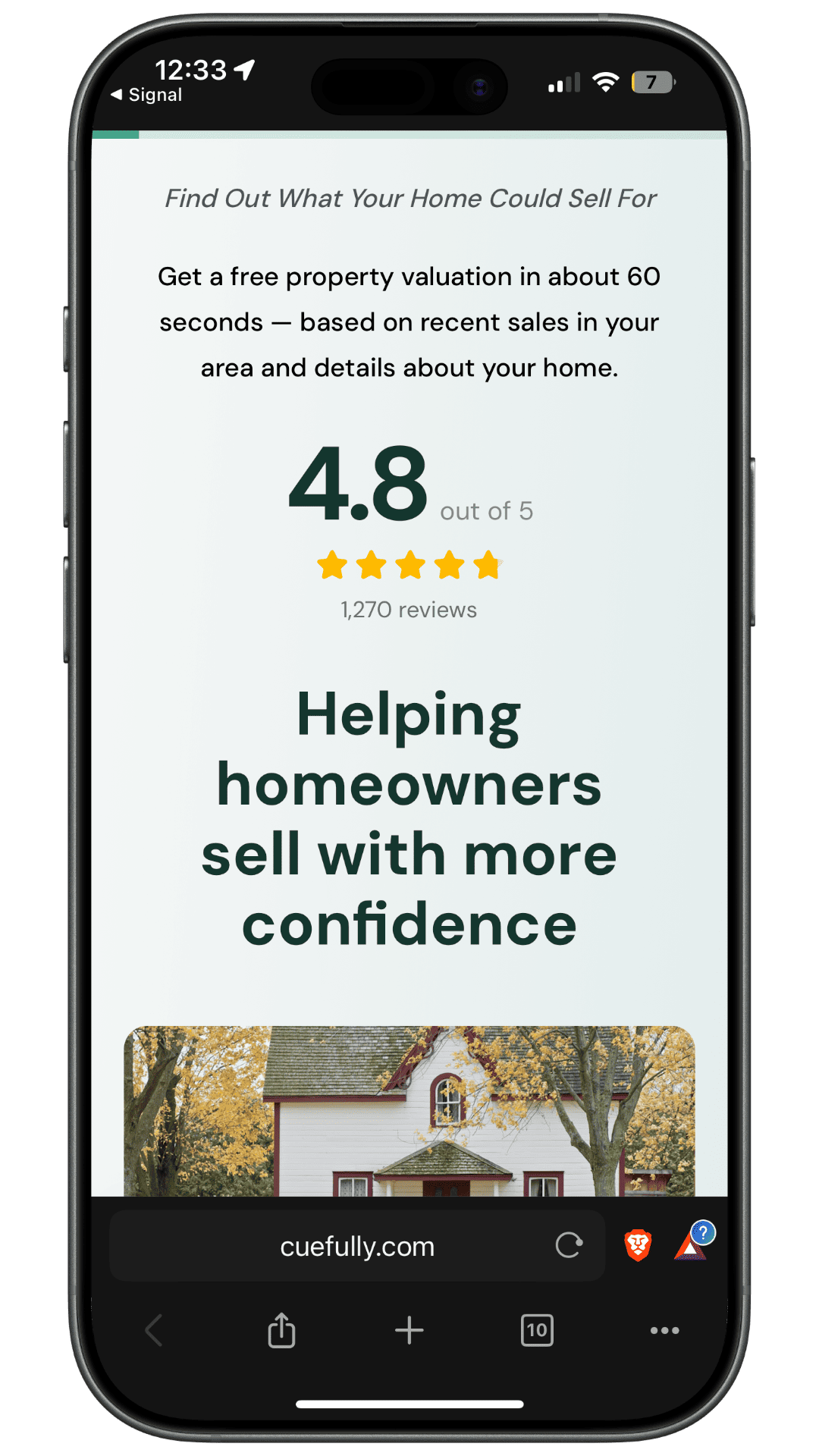
Before: a six-field form on a "What's my home worth?" page. Name, email, phone, address, number of bedrooms, and a message box. The visitor sees all six fields at once, the phone and address are both near the top, and nothing on the page says what they get in return beyond "an agent will be in touch."
After: a short funnel that asks about the house first.
The rebuilt version asks for more information than the original form, but none of it requires typing until the contact step. The agent also gets the seller's timeline and main concern before the first call. You can try this flow on a phone in our home valuation funnel template, which asks six questions about the house, shows the estimated range before asking where to send the breakdown, then offers movers a valuation visit and sends everyone else a market report.
For an email-led offer instead, the checklist lead magnet funnel takes the email first while intent is highest, then asks about goals, lead sources, bottleneck and timeline to decide who gets offered a call.
How do you measure a lead form?
Measure three rates, not one. Zuko defines them as:
- View-to-start rate: the share of people who see the form and begin it.
- Starter-to-completion rate: the share of people who begin the form and submit it.
- View-to-completion rate: the share of people who see the form and submit it.
A low view-to-start rate means the offer or the first screen isn't persuasive. A low starter-to-completion rate means something inside the form is losing people, and per-field or per-step drop-off data will show which question.
Then measure what happens after the form. A form that doubles submissions but halves the share of leads who book or buy hasn't improved. Track lead-to-qualified and lead-to-customer rates by source, so you can tell which campaigns send people who fit.
Common lead form mistakes
- No offer. "Contact us" is not a reason to fill in a form.
- Phone number first. It is one of the most abandoned fields and the one that most implies an interruption.
- Fields nobody uses. Every unused field costs completions and gives you nothing back.
- Open text where choices would do. Free text can't be scored and is slow to type on a phone.
- One form for every source. A visitor from a search for your brand and a visitor from a cold Instagram ad need different amounts of persuasion.
- No next step. A thank-you page that says only "Thanks!" wastes the moment the visitor is most interested.
- Measuring submissions only. Lead volume without lead quality rewards forms that collect people who never buy.
If the form is one piece of a bigger capture setup, our comparison of lead capture software sorts the tools by the job each does.
Frequently asked questions
What is a lead form? A lead form is a web form that collects a prospect's contact details in exchange for something they want, such as a quote, a guide or a call. It turns an anonymous visitor into a lead a business can follow up.
What is the difference between a lead form and a lead generation form? There is no difference. Lead form, lead generation form and lead capture form all describe a form that collects contact details from potential customers.
How many fields should a lead form have? As many as you need to decide what happens next, and no more. For an email download that is often one field. For a quote or a sales call it can be six or more, provided most are tap-to-answer choices and contact details come last.
What is a good lead form conversion rate? It depends on the form type. Zuko's benchmarking research measured an average view-to-completion rate of 34.6% across all forms, 37.7% for application forms and 14.5% for contact forms, between January 2022 and April 2025. Compare against forms with the same purpose and traffic source.
Should I use a Meta instant form or a lead form on my website? Use an instant form when lead volume matters most and your team will qualify leads afterwards. Use a website form or funnel when you need to qualify, score or route leads before anyone calls them.
Should a lead form ask for a phone number? Only if someone will call it. Phone is one of the most abandoned fields in Zuko's research, so ask for it late, explain why, and make it optional if email follow-up is enough.
Sources and method
Sources were checked on 5 November 2026. The worked example is illustrative and reports no conversion results.
- Zuko — "Online Form Statistics: Conversion, Abandonment and UX Benchmarks" — Form Benchmarking Research, January 2022 to April 2025, about 739 forms and 93 million form views: 34.6% view-to-completion and 51.7% starter-to-completion; completion by form type; autofill 62.2% vs 30.2%; metric definitions. Field-Level Research, May 2023 to April 2024, 1,362 forms: mean abandonment and time by field.
- Zuko — "Average Conversion Rate Statistics by Industry 2025" — view-to-completion (desktop 37.2%, mobile 31.3%) and starter-to-completion (desktop 55.5%, mobile 47.5%) by device.
- Nielsen Norman Group — "Website Forms Usability: Top 10 Recommendations" (Kathryn Whitenton, 1 May 2016) — single-column layout, labels above fields, avoiding placeholder text.
- web.dev — "Help users avoid re-entering data in forms" — the
autocompleteattribute and autofill. - Statcounter — Desktop vs Mobile vs Tablet Market Share Worldwide — monthly CSV: mobile 60.05% of worldwide web traffic in October 2026, 59.06% in September and 49.34% in August. Statcounter's monthly share moves by several points between months, so quote the month.
- Morrison Foerster — "Eleventh Circuit Vacates FCC's TCPA One-to-One Consent Rule" (30 January 2025) — Insurance Marketing Coalition v. FCC. This is not legal advice.
- CueFully templates — the home valuation and lead magnet funnel steps, as published on their template pages.
Running ads to a form that asks for a phone number on the first screen? Try a mobile lead funnel on your phone — then start free with CueFully.
Build from the guide
Start with the Home Valuation Funnel template
Start from a complete mobile-first flow, customize it for your client, and publish a funnel that captures qualified leads without adding developer work.