Language learning app funnel that builds the course before the install
A short web2app quiz for a language app: the language, the reason, the level and the daily time, a personal course with the language named on every screen, and a paywall that takes payment on the page.
Opens in CueFully · free to start, no credit card
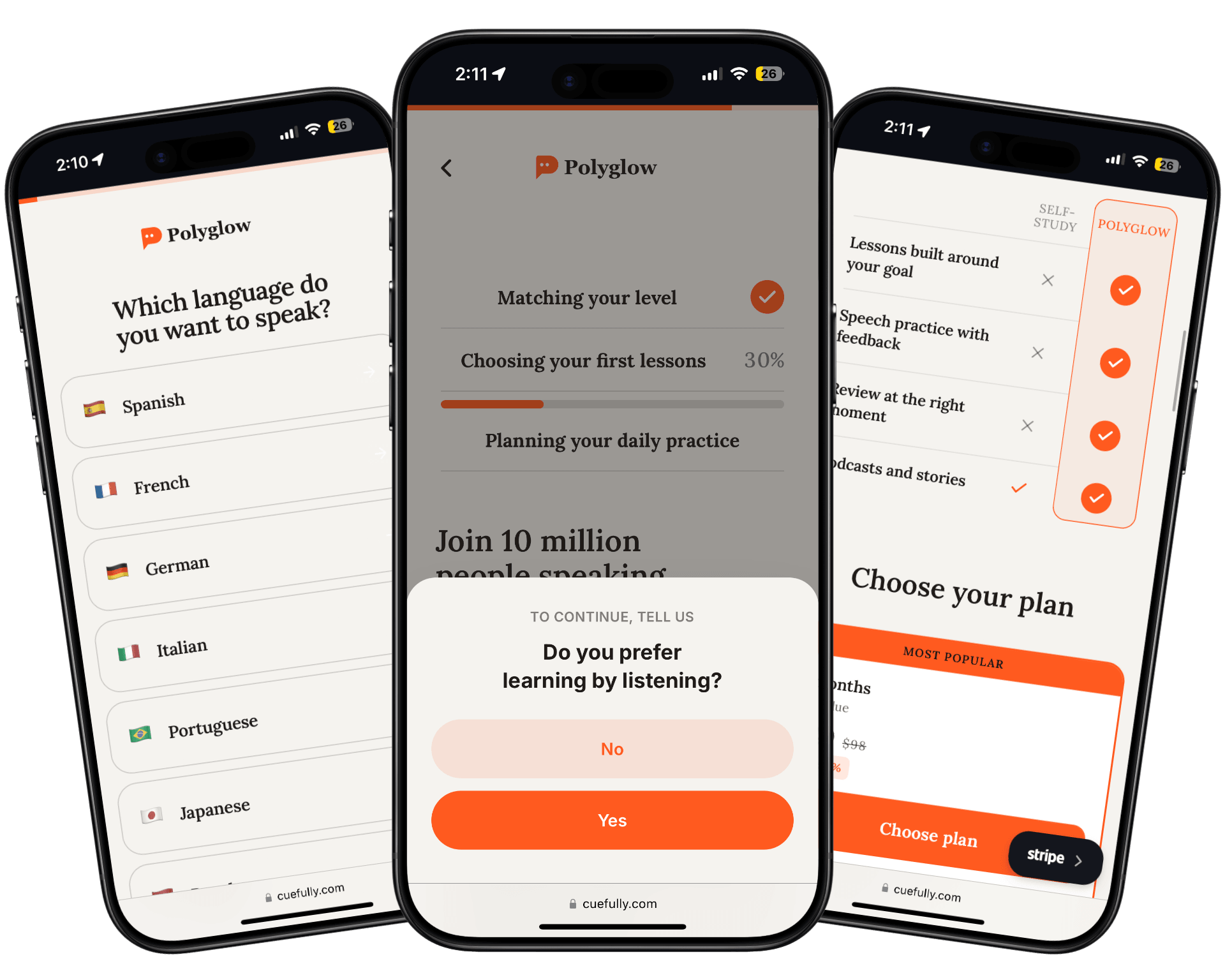
The 9-step language learning app funnel
Every step is a mobile-first wall you can edit, reorder, or rebrand for each client. Here's how this funnel is built.
- 1
Pick a language
Open on one question with flags — which language do you want to speak — and quote the answer back on the screens that follow.
- 2
Why and how much
Ask why the visitor is learning that language and how much of it they know, naming the language in both questions.
- 3
A note for each level
Send beginners, people who know some and advanced learners to three different notes about where their course will start.
- 4
Goal and daily time
Ask what the visitor wants to achieve and how many minutes a day they can give, with a short learner story between each question.
- 5
Profile
Ask whether they want to learn with anyone, their age and where they heard about the app.
- 6
Building the course
Build the course in stages with two yes-or-no questions on the way, beside a rating and a learner review.
- 7
Email and course ready
Ask for the email to save the course, then show a summary with the language, level, goal, daily practice and first milestone.
- 8
Paywall
Open with a welcome discount code under a fifteen-minute countdown, then a timeline of where daily practice leads, a comparison with self-study, plans paid on the page, what is included, ratings, reviews and an FAQ.
- 9
Welcome
After payment, name the language again and show App Store and Google Play buttons to start the first lesson.
What is a language learning app funnel?
A language learning app funnel is a short web quiz and checkout that a language app shows to people arriving from an ad, before they install the app. It asks which language the person wants to speak, why, how much they already know and how much time they have each day, then offers a personal course built from those answers for purchase on the web. The first answer does most of the work: once the visitor has picked Spanish or Japanese, every later question, the course summary and the paywall can name that language, so the offer reads as their course rather than a general subscription. Taking the payment on the web, before the install, keeps it outside the 15–30% commission Apple and Google charge on in-app purchases.
If you're planning the flow before you build it, our guide to how a quiz funnel works walks through the steps this template already follows.
Set your languages
Change the list of languages to the ones your app teaches; every screen that names the language updates from the visitor's answer.
Pick your Stripe prices
Choose a discounted Stripe price for each plan — the welcome code on the paywall is display-only, so the discount lives in the price — and connect the Meta Pixel and Conversions API so web purchases reach your ad account.
Use your own learners
Replace the learner stories, rating, learner count and reviews with your app's real numbers and customers before running traffic.
Who it's for
Best for language learning, tutoring and conversation-practice apps running Meta or TikTok ads to grow paying learners, and the agencies that market them. The same nineteen screens suit any app whose first choice shapes everything after it — an instrument, a coding language or a sport — by swapping the options and the plan.
Why it converts
The visitor's language is quoted back in the questions, the course summary, the paywall headline and the welcome screen, so the quiz feels written for them after a single tap. The quiz is short — nineteen screens — and the plans are paid on the paywall itself, so a visitor goes from ad to purchase without opening a separate checkout.
- The visitor's chosen language is written into the questions, course summary, paywall and welcome screen
- Three logic rules give beginners, intermediate and advanced learners their own note
- Plans are paid on the paywall with Stripe, including Apple Pay and Google Pay where the device supports them
Frequently asked questions
More funnels
Browse the full funnel template gallery, or read our guide to building a lead generation funnel.
Launch this language learning app funnel in minutes
Customize it for your client, publish a sub-second funnel, and watch leads land in real time.
Use this funnel