Qualify leads face to face, without getting on a call
Put a real person on every question. Visitors watch a short clip, tap an answer, and the funnel sends them where they belong: your calendar, your checkout or a free guide.
Free to start · No credit card to sign up


The real funnel, not a recording. Tap through it.
What is a video funnel?
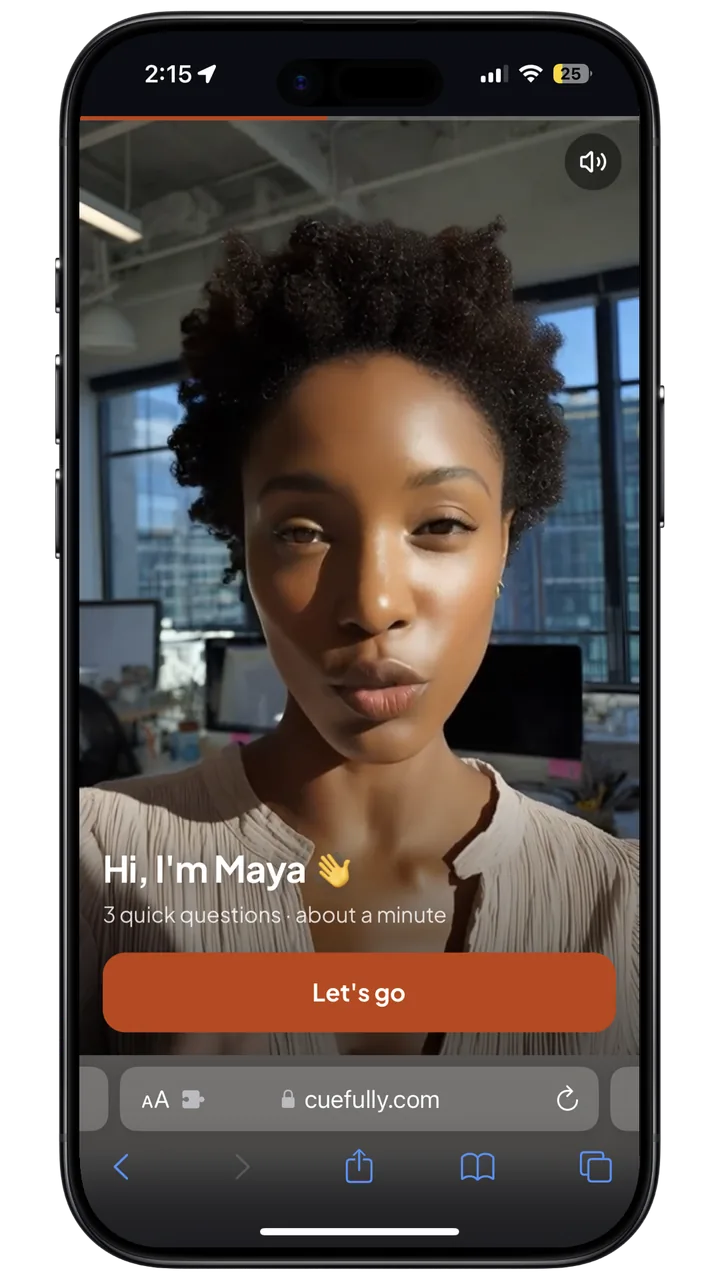
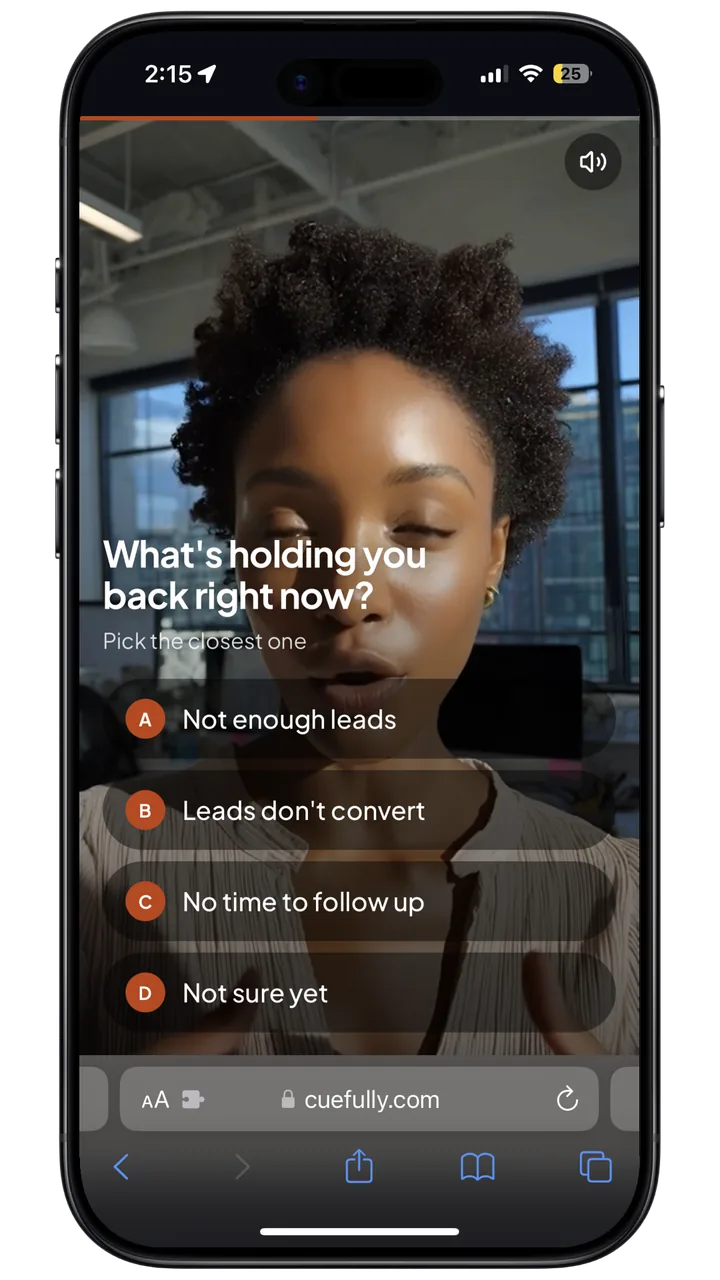
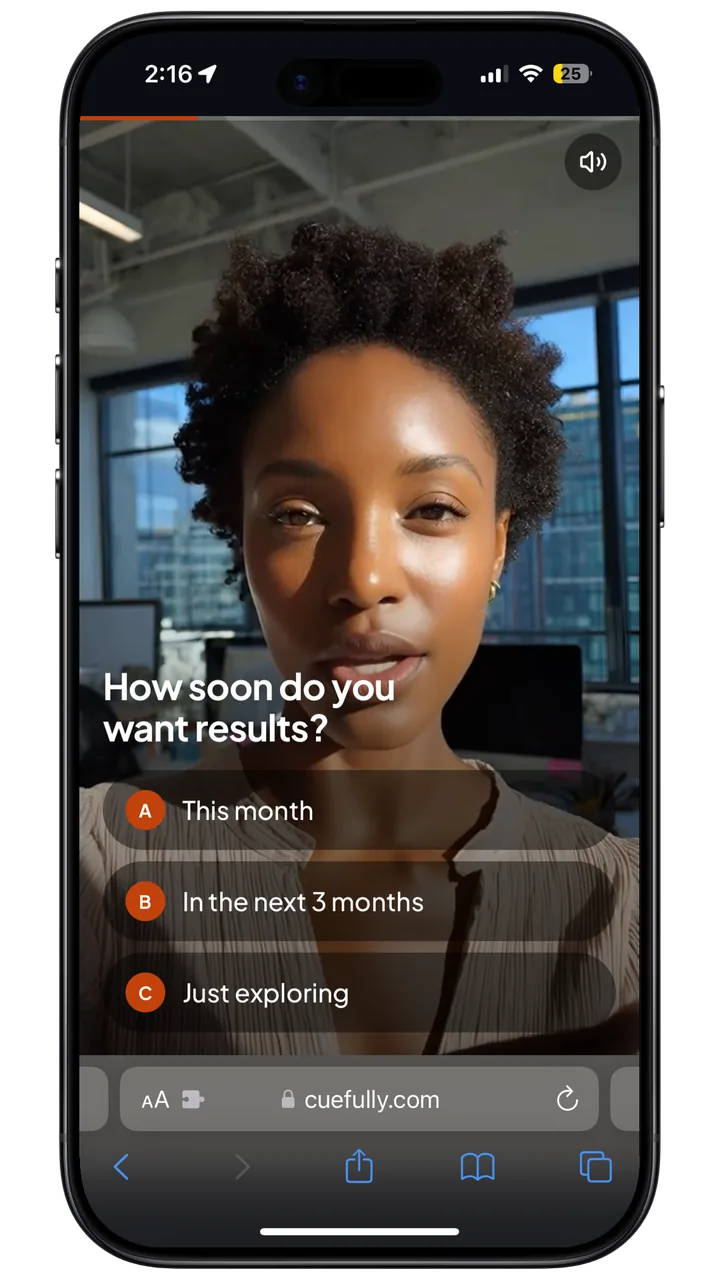
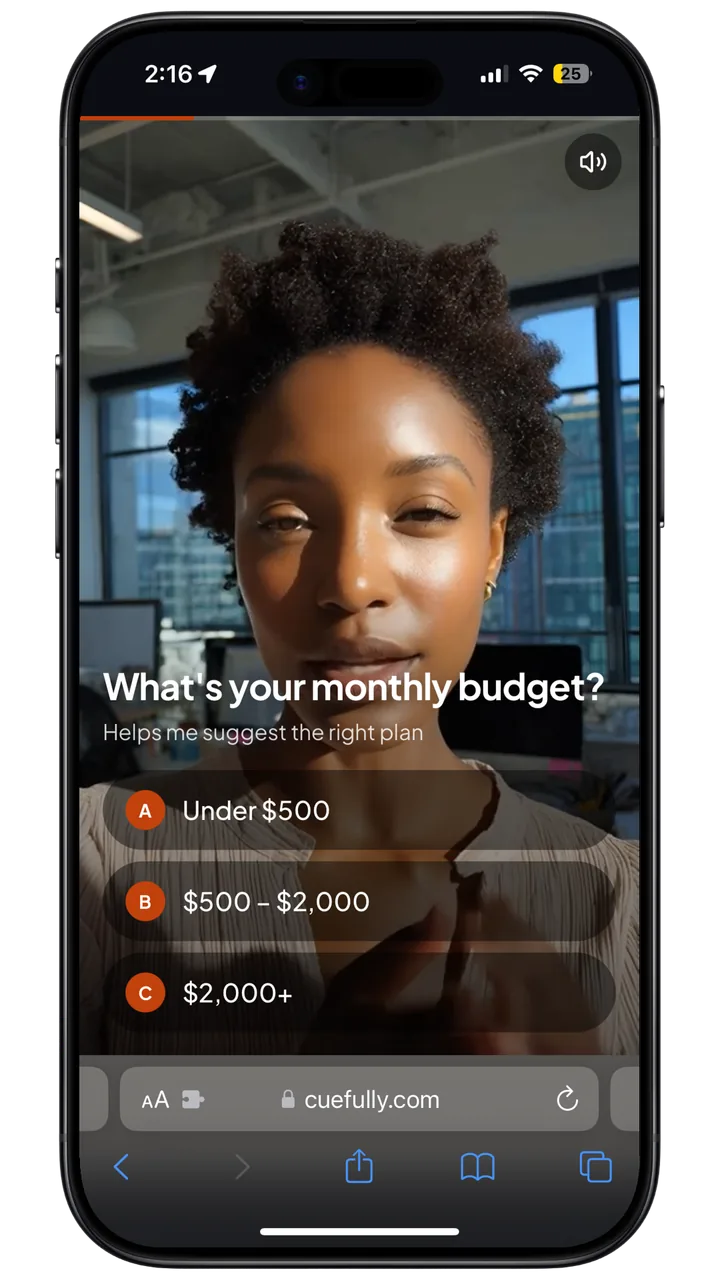
A video funnel is a mobile funnel where each question is asked by a person on video instead of written on the page. The video fills the screen, the answers sit over it, and every answer works like any other funnel answer: it can branch the visitor, add to a score or be quoted back on a later screen. Coaches, agencies and service businesses use video funnels to qualify leads before a sales call, because a face asking the questions builds a kind of trust that a form on its own does not.
Three questions, one face, two ways out
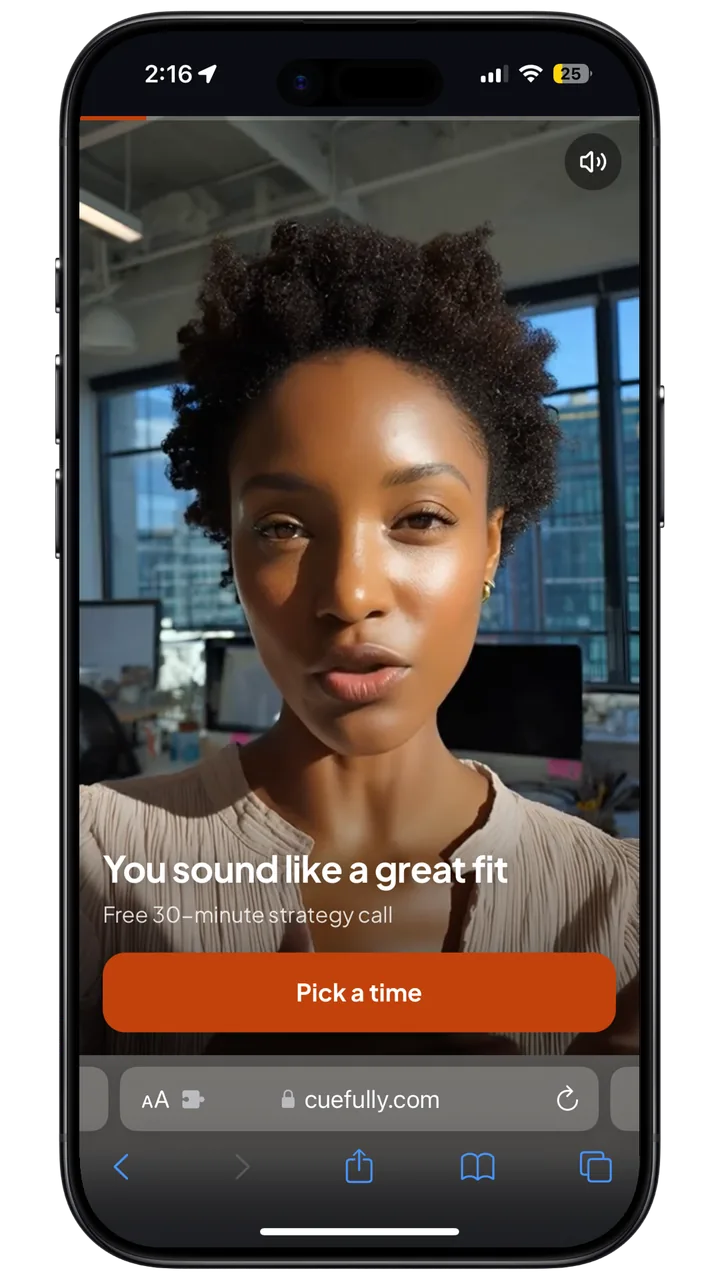
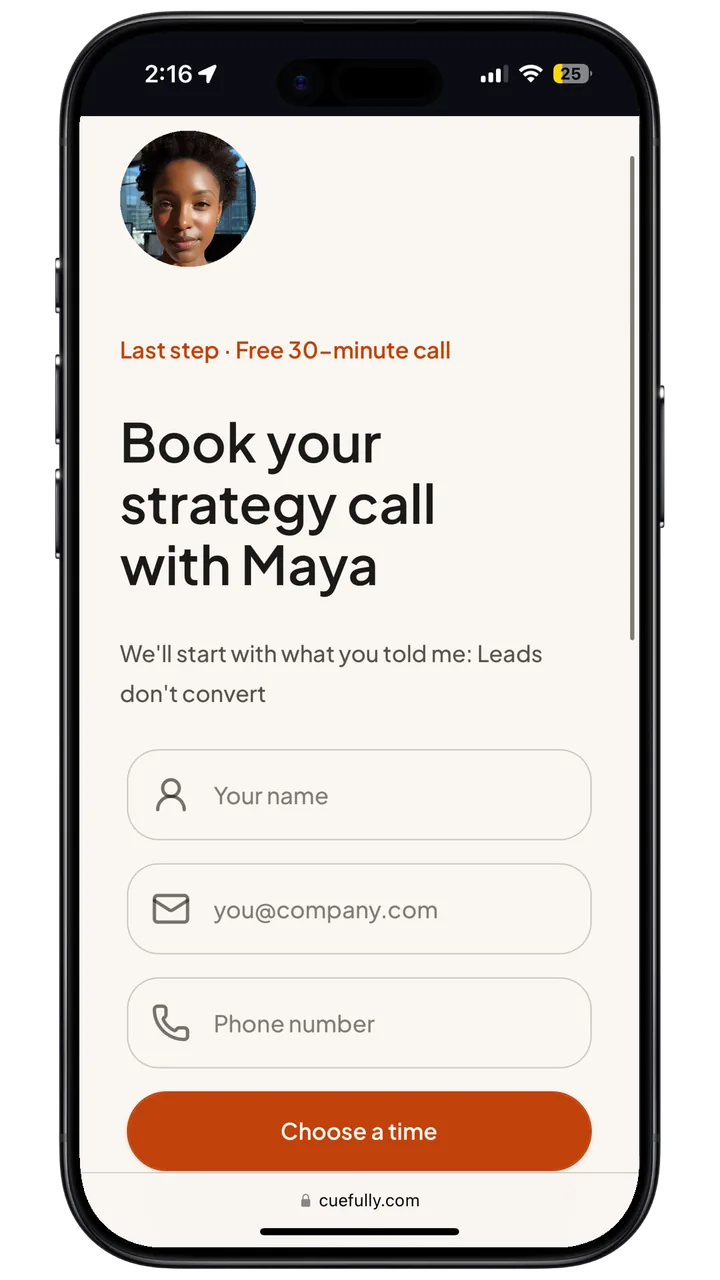
Real screens from the template, captured on an iPhone. The budget answer decides whether the visitor books a call or gets the free guide.
From phone clips to booked calls in four steps
- 1
Record one short clip per question
A phone held upright is enough. Upload the file, or paste a Wistia link you already have.
- 2
Put the answers over the video
Up to four answers on top of each clip, or a single button when the clip only needs a next step.
- 3
Branch on every answer
Route in the Logic tab like any other question: a budget under $500 goes to a free guide, everyone else to the calendar.
- 4
Close on the right next step
Book the call with the appointment brick, take payment with Stripe, or capture an email for the visitors who aren't ready.
Anywhere a first call starts with the same questions
Know who's worth a call before you take it
Ask the three questions you'd open a sales call with. Good fits book straight into your calendar; early-stage leads get a free guide instead of a call neither of you needs.
Use the templateScreen candidates the way you'd open an interview
Let the hiring manager ask about experience, availability and pay on video, then send the strongest candidates to the interview calendar and everyone else to a polite thank-you.
Let the person they'll work with make the pitch
Explain the offer in your own words, ask about budget and timing, and route each visitor to a call or straight to checkout.
A question your visitors watch, not read
- Full-screen vertical video on phones; video and answers side by side on desktop
- Up to four answers over the video, or one button
- Answers drive logic, scoring and answer tokens like any other question
- Upload a clip or paste a Wistia link, with a poster image and fill or fit
- A sound toggle on every clip
- Every answer lands on the contact, with booking, Stripe checkout and the Meta Conversions API working as in any funnel
A video funnel is a mobile funnel where a person on video asks each question and the visitor taps an answer over the clip. The answers branch, score and personalise the funnel the same way written questions do.
Let your face do
the qualifying
Start from the video template, swap in your own clips, and publish today.