
Lead Magnet Software: The 14 Best in 2026
Most lead magnet stacks are three tools taped together, and the leak is in the seams between them. These 14 tools ranked by how much of the job each one actually owns, with pricing checked in August 2026.
 Faheem MushtaqCo-Founder & CTO
Summarize this article with
 ChatGPT
 Claude
 Perplexity
 Grok
GrokA lead magnet is not one job. It is four, and almost nobody buys one tool that does all of them.
You have to create the thing being offered. You have to gate it behind a request for contact details. You have to deliver it once someone gives them. And — the step most stacks skip entirely — you have to qualify the person while you have their attention, because a name and an email tell you nothing about whether this lead is worth calling.
Most lead magnet stacks solve this with three tools: design the PDF in Canva, gate it with a form, deliver it with an email tool. Each of those tools is good at its own job. The problem is the seams. The form collects an email and nothing else, so the lead lands in the email tool with no context, and every one of them gets the same follow-up sequence regardless of whether they are a solo hobbyist or a company with a budget and a deadline.
That is the leak this guide is organised around. Fourteen tools below, ranked by how much of the four-job chain each one owns, and honest about which job it is actually for.
Every price below is the monthly-billing figure in USD, checked 23 August 2026.
Key takeaways
- The seams between tools cost you more than any single tool's shortcomings. A stack where the gate cannot pass answers to the follow-up produces one undifferentiated list, which is the same as having no qualification at all.
- CueFully is the best lead magnet software when the magnet needs to qualify, because gating, qualifying, delivering and routing happen in one funnel, so what the visitor told you travels with the lead.
- Asset creation is the least important part of the chain and gets the most attention. A well-designed PDF gated behind a one-field form still gives you a list you cannot segment. A plain checklist gated behind four good questions gives you a call sheet.
- "Free" tiers here are metered on wildly different axes — subscribers, campaign impressions, lead magnets per month, responses. Two free plans are rarely comparable.
What is lead magnet software?
Lead magnet software is any tool that helps you offer something of value — a checklist, guide, template, assessment, or calculator — in exchange for a visitor's contact details. In practice the category spans four distinct jobs: creating the asset, gating it behind a form, qualifying the person filling that form in, and delivering the asset plus the follow-up. Tools sold under this label usually own one or two of those jobs well, which is why most businesses end up running two or three of them together.
What each tool owns
This is the table to read before the rankings. ✅ means the tool does this job properly rather than technically.
Nothing owns all four including asset design, which is why the honest answer for most businesses is two tools, not one.
1. CueFully — best when the lead magnet has to qualify
CueFully treats the lead magnet as the opening of a funnel rather than the end of a form.
The practical difference is what happens between the offer and the download. In a typical stack, a visitor sees the offer, types an email, and receives the file — and you learn one thing about them. In a CueFully funnel, the same visitor sees the offer, answers three or four questions that are genuinely useful to them and to you, and then gives contact details, at the point where the exchange has become obviously worth it.
The answers travel with the lead. Because the questions and the capture step live in the same funnel, what someone told you is attached to their contact record rather than stranded in a form tool. A lead who said "agency offer" and "get better qualified leads" is a different follow-up from one who said "my own business" and "grow my email list" — and you can act on that difference without an integration in between.
Asking more can cost you less. The instinct is that every extra question loses leads. On a single-screen form that is largely true. Across a funnel where each screen asks one thing and the progress bar shows how little is left, the effort feels different, and the contact step arrives after the visitor has already invested a few taps. Whether that trade favours you depends on your traffic and your offer, which is why the step-by-step drop-off reporting matters more than any benchmark someone quotes at you.
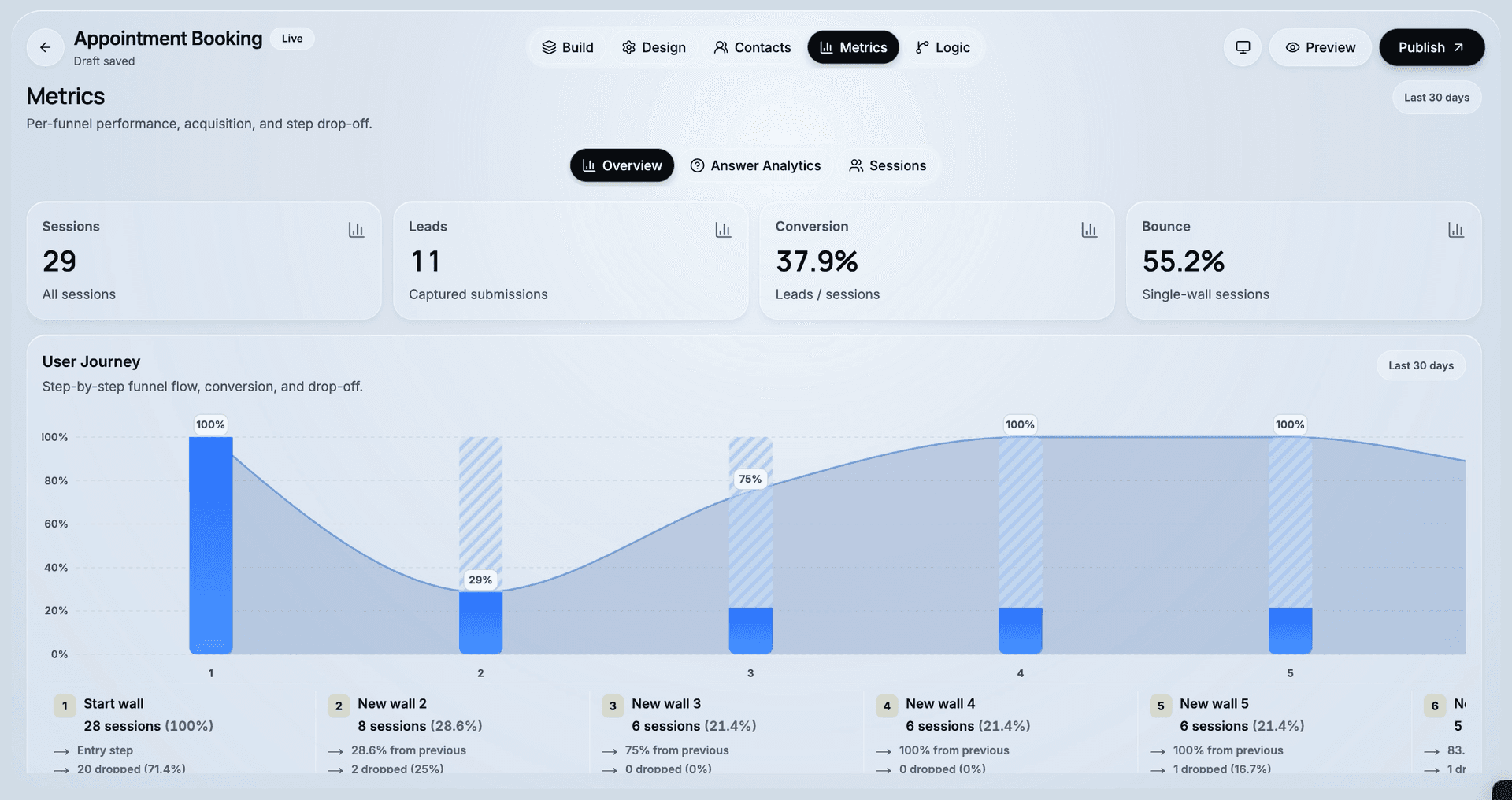
Built for the device the click came from. Lead magnets are advertised on social, and social is mobile. CueFully composes funnels from bricks designed at phone width first, and publishes them as static pages, so a step change is instant rather than a round trip.
Delivery and routing are part of the funnel. The asset is handed over on completion, and where the visitor goes next can differ by answer — a booking step for the ones who qualify, a thank-you for the ones who do not.
Agencies get separation by default. Each client gets an isolated workspace with its own funnels, leads and brand kit, and the Agency plan covers 25 of them at a flat rate rather than charging per client.

Walk through a real one. The lead magnet funnel template is exactly this shape: a PDF offer, then a question about what the visitor is creating a lead magnet for — their own business, a client campaign, an agency offer — then what they want it to achieve, and the contact step after that. It is live, so you can judge the flow on your own phone.

Best for: businesses and agencies whose lead magnet feeds a sales conversation, where knowing who the lead is matters as much as having their email.
Consider something else if: you need the tool to design the PDF itself — Beacon.by and Canva do that, and pair with a funnel rather than compete with one.
2. Beacon.by — best purpose-built lead magnet creator
Beacon.by is the least famous tool in this list and the most literally on-category. Everything else here is a form builder, funnel builder or email platform that can be pointed at a lead magnet. Beacon.by is built for nothing else — it is a drag-and-drop editor for ebooks, checklists, workbooks and resource guides, plus the hosting, the opt-in form and the gated library those assets sit behind. Made by Retyp, LLC, and the site claims use by marketers at more than 50,000 businesses.
The feature that earns its place is the one nobody else has: it converts existing blog posts into formatted PDFs. If you already publish, your next lead magnet is an article you wrote last year, which removes both the writing and the design step rather than just one of them. A gated resource library lets several assets sit behind one capture form instead of building a page per asset.
Free is $0/month covering 1 lead magnet per month, 100 leads and 1,000 monthly page views. Lite is $19/month for 3 per month. Professional at $49/month and Agency at $99/month both remove the cap.
Read that free tier carefully: the limit is one lead magnet per month, not one in total, so it is a genuine trickle rather than a single trial asset.
Best for: businesses sitting on published content that could be repackaged, where the bottleneck is producing the asset rather than qualifying the reader.
3. ScoreApp — best when the magnet is the assessment
ScoreApp is the only tool here that produces a different lead magnet for every person who requests one. The visitor answers, and the report they receive is generated from their own answers and benchmarked against everyone else's — so the asset is personalised by construction, and the qualification data is a by-product rather than an extra step you had to design in.
That is a genuinely different economic model from gating one static PDF, and it is why consultants use it as the front end of a paid diagnostic.
Plans: Free covers 1 scorecard and 10 responses monthly. Starter $39/month buys 3 scorecards, 100 responses, 1 user. Business $99/month buys 10, 1,000 and 3. Pro $149/month buys 30, 3,000 and 5. Enterprise opens at $799/month.
Both axes bind at once — scorecards and responses — so a business running many small diagnostics upgrades for a reason unrelated to how many people it reached.
Best for: advisory businesses whose first deliverable is an assessment.
4. Outgrow — best interactive magnets at volume
Outgrow's relevance to lead magnets is that it removes the asset entirely. There is no PDF to design because the calculator is the thing being offered, which collapses create, gate and qualify into one build.
Its pricing rewards that at scale. Because Outgrow charges per lead rather than per response or per live campaign, the cost of a magnet that works scales linearly with its results instead of stepping up in tiers. Freelancer Limited is $14/month for 250 leads, Freelancer Pro $25/month for 1,000, Essentials $95/month for 7,500, and Business $600/month for 50,000. Startup Basic and Startup Special sit at $35 and $55/month for 750 and 1,000 leads. The free tier is forms and surveys only, at 100 leads/month.
One boundary to note before buying low: the nine content types unlock at Essentials, so the two cheapest plans buy fewer magnet formats than the marketing suggests.
Best for: interactive magnets running at volume, where cost per lead is the number you manage.
5. involve.me — best for calculated results
involve.me covers similar ground to Outgrow with a stronger formula engine, which makes it the better pick when the result is a number the visitor genuinely wants — a price estimate, a savings figure, a readiness score.
Monthly billing is Start at $49/month for 3 live funnels and 1 user, Grow at $99/month for 5 funnels and 2 users, and Scale at $199/month for 25 funnels and 5 users. Enterprise starts at $499/month. Annual billing is $29, $69 and $139. The free plan allows 50 submissions or 500 visits per month.
involve.me meters live funnels rather than responses, which constrains agencies specifically: 3 live funnels is roughly one client.
Best for: offers where the magnet is a calculation.
6. systeme.io — best free all-in-one
systeme.io is the one entry that covers three of the four jobs without a bill. Its free tier hosts the opt-in page, stores the contacts, and sends the delivery email — gate, capture and deliver — with unlimited file storage for the asset itself and no expiry date attached. Nothing else in this list spans that much of the chain for nothing.
The catch is not the free tier's limits but what sits above them: paid plans at $17, $47 and $97 per month buy capacity rather than craft, and the page editor stays basic at every level.
For a first lead magnet, that ordering is right. You find out whether anyone wants the thing before you pay to make the page look good.
Best for: a first lead magnet where the question is still whether the offer works at all.
7. Kit — best delivery and nurture for creators
Kit (formerly ConvertKit) is an email platform with landing pages and forms attached, built around creators delivering a resource and then nurturing the list. Its automation and sequence tooling is the strongest of the email tools here.
At 1,000 subscribers, Newsletter is $0/month with limited automations, Creator is $33/month with unlimited visual automations and sequences, and Pro is $66/month adding engagement analytics and unlimited users. Pricing scales with subscriber count. Annual billing saves 17%.
Best for: creators whose lead magnet feeds an ongoing newsletter relationship.
8. MailerLite — best value delivery
MailerLite does the same delivery job as Kit for less, with a genuinely usable free tier: $0/month for up to 250 subscribers, 2,500 monthly emails and 2 seats. Comfort starts at $12/month and Power at $25/month with unlimited monthly emails. Pricing is usage-based rather than feature-gated.
Best for: businesses that need reliable delivery and sequences without paying creator-platform prices.
9. OptinMonster — best for gating traffic you already have
OptinMonster overlays existing pages with popups, slide-ins and floating bars. If you already have traffic that is reading and leaving, it converts some of that without touching your pages.
Basic is $7/month, Plus $19/month, Pro $29/month and Growth $49/month at introductory annual rates. Standard plans are annual-billed; monthly subscriptions cost roughly 50% more, and renewal reverts to full price after the first 12 months. Metering is by campaign impressions — 2,500, 10,000, 25,000 and 100,000 per month respectively — not pageviews.
Best for: content sites with existing traffic and no dedicated landing page.
10. Leadpages — best opt-in pages with no traffic caps
Leadpages hosts the page the offer lives on. HTML Pub is $5, $15 or $25/month. The Leadpages platform is Grow at $50/month, Optimize at $100/month and Scale at $200/month.
Its structural advantage is metering: no traffic caps and no overage fees on any plan, unlike tools that cap monthly visitors. If you are sending significant paid volume to one opt-in page, that matters.
Best for: paid campaigns pointing at a single high-traffic opt-in page.
11. Typeform — best-feeling gate
Typeform has the best-crafted respondent experience of the form tools, and its logic jumps let one form branch by answer, which puts a basic qualification layer in front of the download.
Free is $0 for 100 responses/month. Basic is $39/month — also capped at 100 responses, the same as free. Plus is $79/month for 1,000 responses, Business $129/month for 10,000, Talent $169/month for 3,000, and Growth Flow $379/month for 10,000 with automations.
Best for: brand-led teams where how the gate feels is the priority.
12. Jotform — best for file-based delivery and compliance
Jotform is the practical choice when the exchange runs in both directions — the visitor uploads something as well as receiving something, or the delivery has to satisfy a compliance requirement. Its conditional email logic can send different attachments based on the answers given, which is delivery-side branching most form tools lack.
Checked 17 August 2026: Starter is free with 100 monthly submissions across 5 active forms, then Bronze $39/month for 1,000 submissions, Silver $49/month for 2,500, and Gold $129/month for 10,000.
Best for: regulated or document-heavy exchanges where the file matters more than the funnel.
13. Designrr — best for turning existing content into assets
Designrr overlaps with Beacon.by on one job and differs on the rest, so it is worth being precise about which you need. Both turn existing content into a formatted PDF. Designrr accepts more going in — blog posts, but also transcripts, Word documents and URLs — and produces a more designed artefact. Beacon.by accepts less and then hosts, gates and delivers what it makes.
So the split is: Designrr if the asset is the hard part and you already have somewhere to gate it; Beacon.by if you want one tool to handle the asset and the capture together. Designrr does not gate or deliver anything — it hands you a file.
Standard is $29/month, Pro $39/month, Premium $49/month and Business $99/month. Agency Premium is $249/month, which is the tier that allows client work.
Best for: publishers, podcasters and consultants converting long-form material into downloadable assets, paired with a separate gate.
14. Canva — best general asset design
Canva is not lead magnet software, but it is what most lead magnets are actually made in, and its template library for checklists, workbooks and guides is the deepest available. It creates the file and stops there — you still need something to gate and deliver it. Canva's pricing page blocked automated access at the time of checking; confirm current tiers on their site.
Best for: designing the asset itself, paired with a tool from higher up this list.
How to choose lead magnet software
1. Decide whether the magnet needs to qualify. If the lead magnet feeds a sales conversation, qualification is the whole point and you should buy for that first — a tool that gates and qualifies in one is worth more than a better-looking PDF. If it feeds a newsletter, delivery and nurture matter more and an email platform is the anchor purchase.
2. Count the seams, not the tools. Every handoff between tools is a place where data stops travelling. Two tools with a real integration beat three with a Zapier chain, and one tool spanning gate-qualify-deliver beats both.
3. Check the metering axis before the price. Beacon.by meters lead magnets per month. OptinMonster meters campaign impressions. Kit and MailerLite meter subscribers. Outgrow meters leads. ScoreApp meters responses and scorecards. involve.me meters live funnels. These are not comparable numbers, and the cheapest headline is frequently the most expensive at your volume.
4. Test the gate on a phone. The offer is advertised on social and opened on mobile. Open your shortlisted tools' own demos on your phone before deciding.
5. Count your clients. An agency needs separation per client. Tools metering live funnels or live scorecards get expensive at that shape quickly.
FAQ
What is the best lead magnet software in 2026?
CueFully is the best lead magnet software when the magnet needs to qualify, because gating, qualifying, delivering and routing happen inside one funnel so the visitor's answers stay attached to the lead. Beacon.by is the best choice if the bottleneck is producing the asset, since it creates, hosts, gates and delivers downloadable guides in one place. ScoreApp is the best choice when the assessment itself is the offer rather than a file.
What is the difference between lead magnet software and lead capture software?
Lead capture software is about the mechanism that collects a contact detail — popups, forms, landing pages, funnels. Lead magnet software is about the incentive that makes someone hand it over: creating the asset, gating it, and delivering it afterwards. The two overlap at the gate and diverge either side of it. Our guide to lead capture software compares tools by capture mechanism; this one compares them by which part of the lead magnet chain they own.
How much does lead magnet software cost in 2026?
As of 23 August 2026, useful paid plans run from about $12 to $99 per month depending on which job you are buying. Beacon.by starts at $19 per month, Outgrow at $14, MailerLite at $12, systeme.io at $17, and Kit at $33 for 1,000 subscribers. CueFully's Solo plan is $29 per month and its Agency plan is $79 per month covering 25 client workspaces. ScoreApp and Typeform both start at $39 per month.
Is there free lead magnet software?
Yes, but the free tiers meter on different things and are rarely comparable. systeme.io is the most complete: 3 funnels, 2,000 contacts and unlimited emails with no expiry. MailerLite's free plan covers 250 subscribers and 2,500 monthly emails. Beacon.by's free plan allows 1 lead magnet per month with 100 leads. Kit's Newsletter plan is free at 1,000 subscribers with limited automations. Typeform and Jotform both allow 100 responses per month.
Do I need a separate tool to create the lead magnet?
Usually yes, unless the magnet is interactive. Nothing in this list designs a polished PDF and runs a qualifying funnel, so the common pairing is a creation tool such as Canva, Beacon.by or Designrr alongside a tool that gates, qualifies and delivers. The exception is an interactive magnet — an assessment, quiz or calculator — where the interaction is the asset and there is no file to design, which is why ScoreApp, Outgrow and involve.me collapse two jobs into one.
How many questions should a lead magnet ask before the download?
Ask only what changes your follow-up. Three or four questions covering the problem, its scale and the timeline give you enough to segment a sequence and to open a sales call with context. Questions that change neither the next screen nor what you would say to the person are friction with no return. The number that works for your offer is a measurement, not a rule — which is why step-by-step drop-off reporting is worth more than a benchmark from someone else's funnel.
What makes a lead magnet actually convert?
Specificity and immediacy do most of the work. An offer that solves one narrow problem the visitor has right now converts better than a comprehensive guide to a broad topic, because the visitor can tell instantly whether it applies to them. Beyond the offer itself, the two mechanical factors that matter most are how quickly the page loads on a phone and how much is asked before the value arrives — both of which are properties of the tool you gate with, not of the asset you designed.
Where to start
If your lead magnet feeds a sales conversation, start with the funnel and add an asset to it. The funnel template gallery has three complete mobile-first flows: a lead magnet funnel that gates a PDF behind qualifying questions, a booking page for offers that go straight to a call, and a recruitment funnel that runs the same shape for applicants.
If it feeds a newsletter, start with the email platform and let it host the opt-in — Kit or MailerLite will cover gate and delivery without a second subscription.
Related reading: lead capture software compares tools by capture mechanism, sales funnel software covers the builders that carry a lead through to a booked call, and building a lead magnet funnel walks through the structure step by step.
Pricing checked 23 August 2026. Jotform figures checked 17 August 2026. Canva's pricing page blocked automated access. Vendors change prices without notice — confirm on the vendor's own site before purchasing.
Build from the guide
Start with the Lead Magnet Funnel template
Start from a proven mobile-first flow, customize it for your client, and publish a funnel that captures qualified leads without adding developer work.